Let me be clear: I’m not lazy. I’m really lazy. There’s a difference. A lazy person skips the work. A really lazy person spends a whole Saturday building a machine so they never have to do that work again.
It suits the name. Bufon means jester, and the jester was the one person at court who never carried anything. He juggled, told the king the truth and let the servants do the rest. My servants are a GitHub workflow and a cron job. They don’t get paid either.
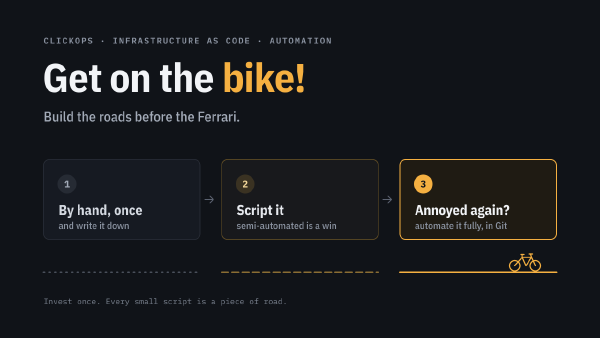
In Get on the bike! I wrote that you should do something by hand once, script it the second time and automate it when it annoys you again. Publishing posts had reached step three.
The manual way#
Everything that runs on bufon.nl lives in one Git repo: Traefik, mailcow tweaks, a Claude sandbox and the website itself. The site is built with Hugo and served by nginx in a container.
Writing a post used to look like this:
- Create a folder with an
index.md. - Copy the front matter from an older article and fix the title, date, slug and tags.
- Make a cover image.
- Write, commit, push, open a pull request and merge it.
- SSH into the server, pull and rebuild the container.
None of it is hard. All of it is fiddly. Forget the slug, or put the wrong date in the front matter, and the post ends up in the wrong place.
The new way#
Now it looks like this:
- I write a prompt.
That’s the list. Everything below happens without me.
One prompt#
I start a Claude Code session on the repo and give it a short, fixed prompt:
Write a new article for my Hugo site in website/site/content/articles/.

Topic: <what it's about, main points, stories or examples>
Title: <title, or "suggest one">
Tags: <e.g. Automation, Ansible>   Category: <e.g. Infrastructure>

Follow the existing articles exactly:
- a page bundle: articles/<folder_name_with_underscores>/index.md
- the same front matter: title, date (today), draft: false,
  description, slug (with-dashes), tags, categories
- match my tone: first person, short paragraphs, ## headings

Commit it on a new branch and open a pull request to main.
The prompt is the documentation. It says where posts go, what the front matter looks like and how I want them to read. Claude reads a few existing articles, writes the new one in the same shape and opens a pull request.
The repo also has an AGENTS.md with house rules for AI agents: commits are mine, no “generated by” lines in commits or PR descriptions, and leave the cover alone, because the pipeline makes it.
The cover draws itself#
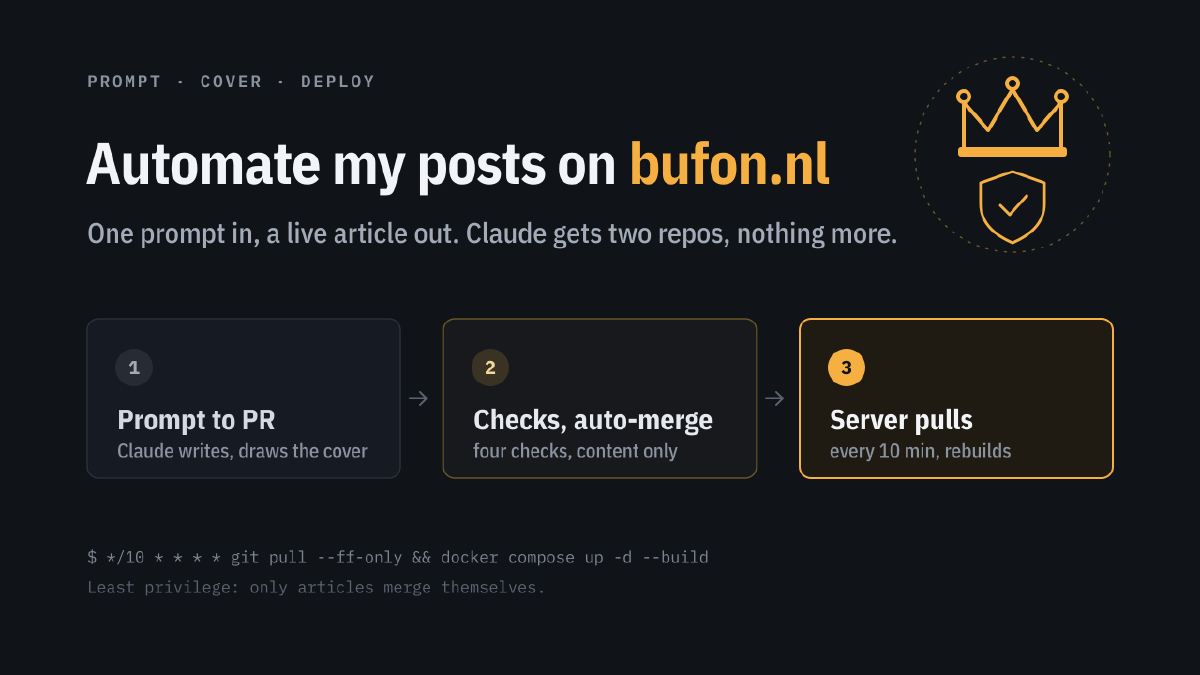
My covers all follow one template: a dark 1280 by 720 card, a title with one word in amber, three numbered steps and a line of code at the bottom. They’re SVG files, so they’re just text. And text is something Claude is good at.
When a pull request adds an article without a cover, the first job in the pipeline:
- gives Claude the article and three existing cover SVGs as examples
- lets Claude write a new SVG in the same style, with its own caption, steps and a small line icon
- renders it to PNG with the same IBM Plex fonts the other covers use
- shows Claude the PNG, so it can fix text that runs out of its box, and render again
- adds
featureimageandaltto the front matter and commits the SVG, the PNG and the front matter to the pull request
The job may only touch those three files. If anything else changed, it fails.
If I don’t like a cover, I change the words in the SVG and push. The pipeline renders the PNG again. The cover on this article went through exactly that pipeline.
Checks before anything goes live#
After the cover, four checks run on the new commit:
- Scope. Does the PR only touch articles and cover images? Or does it also change Traefik, mailcow, the Dockerfile or the workflows themselves?
- Hugo build. The site is built with the same Dockerfile the server uses. If it builds in the pipeline, it builds on the server.
- Front matter. A small script checks every changed article: title, date, description, slug, tags, categories, a cover image and its alt text are all there, and the slug is lowercase-with-dashes. It also catches a date in the future. Hugo quietly skips future posts, so the build is green and the article just never appears.
- Article review. Claude reads the diff, looks at the cover and answers one question: is this ready to publish as is? It looks for spelling mistakes, broken Markdown, leftover TODOs, text that overflows the cover, and anything that shouldn’t be public, like hostnames, IP addresses or credentials. It posts its verdict as a comment, with a list of issues if it says no.
The review is not a rubber stamp. The first version of this article got rejected twice. Once because the cover still described the old flow. Once because of a claim about SonarQube: the robot that wrote the article said the free tier of SonarCloud was for public repos only. The robot that reviewed it said that was out of date. It was right. SonarQube Cloud’s free tier covers private repos up to 50,000 lines of code. I didn’t add it anyway: it analyses code, not prose.
Auto-merge, but only for content#
If the PR only touches content and all checks are green, the workflow squash-merges it. It only merges the exact commit that was checked. Push something new and the checks start over.
Anything else waits for me. A change to the proxy, the mail server or the pipeline gets a code review from Claude, and then sits there until I read it and merge it myself.
There’s one more safety net I didn’t build myself. The Claude GitHub Action refuses to run a workflow that a pull request has changed, until that version is on main. I found out the hard way: my first test of the cover job failed in thirty seconds. Annoying for five minutes, and exactly right. A pull request can’t rewrite the instructions the robot runs with.
The server pulls, it doesn’t get pushed to#
The server keeps two copies of the repo: a working copy where I edit, and a deploy copy in /opt/bufon that the services run from. Nobody edits the deploy copy.
Every ten minutes a cron job checks GitHub for a new main. Most of the time there’s nothing, and it stops. When there is something, it does this:
- Fast-forward only. If the deploy copy has local changes or commits that aren’t on GitHub, it refuses to pull and writes a line in its log. It never overwrites anything.
- Rebuild the site, and only the site. If anything under
website/changed, it runsdocker compose up -d --build. Hugo builds the static site, the output goes into a small nginx image, and Traefik routes to the new container. - Leave the rest alone. Changes to Traefik or mailcow are pulled, but never restarted automatically. A bad merge shouldn’t be able to take my mail down. Those restarts are mine.
I like the pull model. GitHub never needs a way into my server. The server reaches out with a read-only deploy key that can fetch this one repo and nothing else. No open SSH port for a pipeline, no key that can push.
Least privilege for the robot#
Giving an AI agent access to GitHub is giving it a key. So I asked the same question I’d ask for any service account: what is the least it needs?
The answer is two repos. The Claude GitHub App is installed with “Only select repositories”, and I selected two private ones: this bufon repo and a small FastAPI test project. Nothing else on my account. Not my public Puppet modules, and not any repo I create later. A new repo stays invisible to Claude until I tick its box.
If something goes wrong in a session, or a prompt gets twisted into doing something I didn’t ask for, the damage stays inside those two repos.
Why not a personal access token?#
The obvious shortcut is a personal access token. Create one, paste it in, done. That’s exactly why I didn’t.
A classic token with the repo scope is a key to every repo you can reach: your own, public and private, and those of every organisation you’re a member of. It can’t be limited to one repo. It doesn’t expire unless you tell it to. And everything it does looks like you did it.
A fine-grained token is a lot better. You choose the repos and the permissions, and it has an expiry date. Set up carefully, it can be almost as tight as the app. But it’s still a long-lived secret that sits somewhere: in a config file, an environment variable or a CI secret. Someone has to rotate it, and anyone who copies it gets the same access for as long as it’s valid.
The GitHub App turns that around. I don’t hold a secret at all. GitHub hands out tokens that expire after an hour, the list of repos lives in my GitHub settings instead of on a disk, and I can take a repo away, or remove the app, with one click.
| Classic token | Fine-grained token | GitHub App | |
|---|---|---|---|
| Limit to some repos | No, all of them | Yes | Yes |
| Limit permissions | Coarse scopes | Per permission | Per permission |
| Expires | Only if you set it | Yes | Every hour |
| Secret you have to store | Yes | Yes | No |
So yes, a token can be more privileged than the app, and a classic one almost always is.
Auto-merge follows the same idea. Only content can merge itself. The worst a bad article can do is put a bad article on my site, and I can revert that in a minute. A PR that touches a workflow can’t merge itself, so the pipeline can’t be used to loosen its own rules.
It’s the same thinking behind the Claude sandbox on the server. That container only sees the folder it’s working in, and its firewall only lets it reach Anthropic, GitHub and npm. Everything else is dropped.
What’s still manual#
Not much, and what’s left is on purpose:
- The idea. Claude can write the words, but the stories and opinions have to come from me. Even a jester needs his own jokes.
- The merge, for everything but articles. Infrastructure and pipeline changes need a human.
- Reading the result. An article can go live without me clicking anything, so I read it on the site afterwards. If I don’t like it, the fix is another prompt.
The bottom line#
The whole flow is a prompt, a pull request, a generated cover, four checks, an auto-merge and a pull on the server. From pull request to live page takes about fifteen minutes, and I don’t touch a terminal, an editor or a drawing tool once.
That’s not laziness. That’s really good laziness. Each step is small, and each one is a piece of road I only had to build once.
If you’re giving an agent access to your infrastructure, start with the question of what it actually needs. For me that was two repos, a pull request, and a hard line between content that may merge itself and infrastructure that may not.