This kind of breach keeps me awake at night.
Patch now. And if you can’t patch, mitigate. Do not forget either one.
Yesterday the details of two PHP bugs leaked, CVE-2026-109618 and CVE-2026-109619, together known as PHP2Shell. Today the PHP team shipped the fixes. In between, the first attacks were already hitting honeypots. By the time you read this, scanners are trying every PHP server they can find.
Most of the coverage is about phase 1: the bug and the patch. I want to talk about what comes after.
Phase 1: the shell#
The short version, so we’re on the same page:
- Two use-after-free bugs in the PHP engine itself, both CVSS 9.2.
- Every PHP version from 5.4 onward is affected. The code has been there since 2012.
- Every way of running PHP is affected: PHP-FPM, Apache mod_php, php-cgi, FrankenPHP, LiteSpeed.
- The trigger is a plain
multipart/form-datarequest, the same thing a file upload sends. PHP parses it before your application runs, so your login page, your CMS plugins and your app-level security don’t get a say. - The result is code execution as the web server user. One of the two bugs also leaks memory from the worker, a bit like Heartbleed: session tokens, passwords, API keys.
- Confirmed against WordPress, Drupal, Joomla, Magento, Nextcloud, Roundcube, Laravel, Symfony, WHMCS and phpMyAdmin.
Fixed versions: 8.2.35, 8.3.36, 8.4.27 and 8.5.12. Anything older than 8.2 gets no official release.
It was serious enough that several governments, the Dutch overheid.nl among them, took sites offline rather than wait.
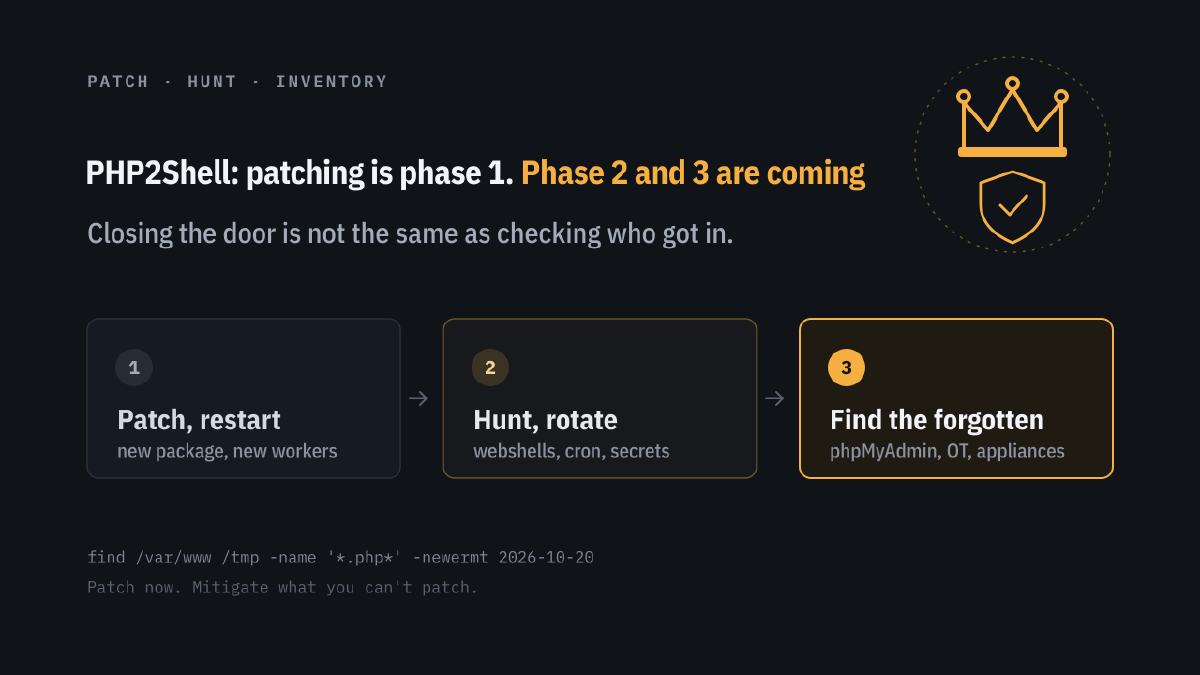
That’s phase 1. The patch closes the door. Phase 2 is about what walked in before you closed it.
Phase 2: what they did while you were patching#
There were hours between the leak and the fix, and for most servers it will be days between the fix and the actual update. Attackers don’t need days.
Updating PHP does not:
- remove a webshell that was dropped in your web root;
- remove a cron job, a new user or an SSH key that was added;
- rotate the database password, API key or session secret that leaked out of memory;
- log out the session that was hijacked with a stolen token.
So after the update, assume you were hit and go looking. Below is what I’d check, in this order.
Were you hit? What to look for#
The window starts on 20 October 2026, when the details leaked. Everything before that is very unlikely to be PHP2Shell. Everything after it deserves a second look.
One warning first: an attacker with a shell can edit the logs on that box. If you ship logs to a central place (a SIEM, Loki, syslog server, your hosting panel), read them there. If the local logs have suspicious gaps, that’s a finding too.
The examples below use Debian and Ubuntu paths. Adjust for your distribution, and use zgrep so rotated logs are included.
1. Web server access logs: the attack and the follow-up#
The default log format doesn’t record the Content-Type, so you won’t see “multipart” directly. You will see the effects.
POSTs that ended in a server error. The exploit makes PHP run out of memory or crash, so look for POSTs answered with a 500, 502, 503 or 504, especially to URLs that never take uploads, such as the home page or a login page.
zgrep -hE '"POST [^"]*" 50[0-4] ' /var/log/nginx/access.log* | less
zgrep -hE '"POST [^"]*" 50[0-4] ' /var/log/apache2/access.log* | less
The same IP hammering one URL. Exploits often need many tries. Count POSTs per IP since the leak:
zgrep -h '"POST ' /var/log/nginx/access.log* | awk '{print $1}' | sort | uniq -c | sort -rn | head -20Requests to PHP files that shouldn’t exist. This is the webshell being used. Think of .php files in upload, cache or image folders, random names like x7k2.php, or names that look almost right, like wp-1ogin.php.
zgrep -hE '/(uploads|images|cache|tmp|files)/[^" ]*\.ph(p[0-9]?|tml|ar)' /var/log/nginx/access.log*Command parameters in the URL. Lazy webshells take commands as a parameter: ?cmd=, ?c=, ?exec=, ?x=, or long base64 strings.
zgrep -hiE '[?&](cmd|exec|c|x|shell|pass)=' /var/log/nginx/access.log*A new IP that suddenly does only POSTs to one PHP file, with no CSS, JS or image requests around it. Real browsers load a page. Webshell clients don’t.
2. PHP and web server error logs: the crashes#
A use-after-free that’s being exploited, or an attempt that failed, often crashes the worker. Healthy PHP doesn’t segfault. If yours started doing that on 20 or 21 October, take it seriously.
# PHP-FPM workers that died
grep -hE 'SIGSEGV|signal 11|SIGBUS|signal 7|core dumped' /var/log/php*-fpm.log*
journalctl -u 'php*-fpm*' --since 2026-10-20 | grep -iE 'signal|segfault'

# Apache with mod_php
zgrep -h 'exit signal Segmentation fault' /var/log/apache2/error.log*

# The kernel sees the crash too
journalctl -k --since 2026-10-20 | grep -iE 'segfault.*(php|apache|httpd)'
Also look for a sudden burst of out-of-memory fatal errors, and for nginx losing its upstream:
zgrep -h 'Allowed memory size of' /var/log/php*-fpm.log* /var/log/nginx/error.log*
zgrep -hE 'upstream prematurely closed|Connection reset by peer' /var/log/nginx/error.log*
One or two is normal for a busy site. Hundreds in a short window, from a handful of IPs, is not.
3. Processes: what the web user is doing#
The web user (www-data, apache, nginx) runs PHP. It should never run a shell.
# Anything running as the web user that isn't PHP or the web server
ps -u www-data -o pid,ppid,lstart,cmd

# The process tree: look for sh, bash, curl, wget, nc, python or perl under php-fpm or apache2
ps -ef --forest | less
If you have auditd, ask it directly which programs the web user started:
ausearch -ua www-data -sc execve --start 10/20/2026 -i | grep -E 'exe=' | sort | uniq -cThe classic first commands after landing are whoami, id, uname -a, cat /etc/passwd and ls -la. Reverse shells look like bash -i, /dev/tcp/, mkfifo, nc -e or python -c 'import socket'.
On Windows, the pattern is php-cgi.exe, php.exe or httpd.exe starting cmd.exe, powershell.exe or certutil.exe. Look for Event ID 4688 or Sysmon Event ID 1 with those parent processes.
4. Network: who the server is talking to#
A web server mostly answers. It rarely calls out, except to its database, a mail server and update servers.
# Outbound connections owned by the web user
ss -tnp | grep -E 'php|apache|httpd|nginx'
ss -tnpe | grep "uid:$(id -u www-data)"
Look for connections to unknown IPs on odd ports (4444, 1337, 8080, 9001), and in your firewall or proxy logs for the server downloading from pastebin-type sites, raw GitHub URLs or bare IP addresses since 20 October. Large outbound transfers from a database server you only expected to talk to the web server are a strong sign of data theft.
5. Files: the webshell itself#
Anything PHP-like in the web root or temp folders that changed since the leak:
find /var/www /tmp /var/tmp /dev/shm -type f \
  \( -name '*.php*' -o -name '*.phtml' -o -name '*.phar' -o -name '.htaccess' -o -name '.user.ini' \) \
  -newermt 2026-10-20 -ls
Pay special attention to .user.ini and .htaccess. A line like auto_prepend_file= loads attacker code before every page of the site, and it survives deleting the obvious webshell.
grep -rnE 'auto_(prepend|append)_file' /var/www --include=.user.ini --include=.htaccessSearch upload and cache folders, where no PHP code should live at all, for the usual webshell building blocks:
grep -rlE 'eval\(|base64_decode\(|gzinflate\(|str_rot13\(|assert\(|shell_exec\(|passthru\(|system\(|proc_open\(' \
  /var/www/*/wp-content/uploads /var/www/*/cache 2>/dev/null
Don’t run that grep across the whole application: plenty of legitimate libraries use these functions. Focus on places that should only hold images and documents.
Attackers can reset the modification time with touch, so also compare against a known good state:
- WordPress:
wp core verify-checksumsandwp plugin verify-checksums --all - Debian/Ubuntu packages:
debsums -c - RHEL and friends:
rpm -Va - Containers:
docker diff <container>shows every file changed since the container started - Git deploys:
git statusin the web root
6. Persistence: how they plan to come back#
# Cron for the web user and the system
crontab -l -u www-data
ls -la /var/spool/cron/crontabs/ /etc/cron.d/
find /etc/cron* -newermt 2026-10-20 -ls

# New or changed systemd units and timers
find /etc/systemd /lib/systemd /usr/lib/systemd -newermt 2026-10-20 -ls

# New accounts, new keys, new sudo rights
awk -F: '$3 >= 1000 || $3 == 0' /etc/passwd
find / -name authorized_keys -newermt 2026-10-20 -ls 2>/dev/null
find /etc/sudoers /etc/sudoers.d -newermt 2026-10-20 -ls

# Who logged in, and from where
last -a | head -30
journalctl -u ssh --since 2026-10-20 | grep -i accepted
If the web user had write access to the application code, also check the application itself: new admin users in WordPress, Magento or Nextcloud, new API tokens, and changed payment or checkout templates. On a webshop, a skimmer in the checkout is often the real goal.
7. The data that leaked without a shell#
CVE-2026-109618 can leak memory from the PHP worker without leaving a webshell behind. There may be nothing to find on disk, so treat the following as exposed on any server that was reachable and unpatched after 20 October:
- database passwords from
wp-config.php,.envorconfig.php - API keys, payment provider keys, SMTP and S3 credentials
- the app’s session and encryption keys
- session cookies of users who were logged in
Rotate them, and then look for them being used: logins to your database from new IPs, API calls from places you don’t recognise, admin sessions from countries you don’t operate in.
Found something?#
Then it’s no longer a patching job. It’s an incident.
- Isolate, don’t clean. Take the server off the network or put it behind a firewall rule. Deleting the webshell you found tells the attacker you’re onto them, and leaves the ones you didn’t find.
- Preserve evidence. Snapshot the disk or VM and copy the logs off the box before you change anything.
- Rotate everything from a clean machine, not from the compromised server.
- Rebuild, don’t repair. A fresh server with patched PHP and restored application data is quicker and safer than hunting down every backdoor.
- Check whether you have to report it. If personal data may have leaked, the GDPR gives you 72 hours to notify the data protection authority (in the Netherlands, the Autoriteit Persoonsgegevens). Talk to your security officer or your hosting provider.
Phase 3: the PHP nobody remembers#
This is the part that keeps me up. It’s my prediction, not something in an advisory yet.
The websites will get patched. Hosting providers are on it, WordPress sites get new PHP from their host, container images get rebuilt. Phase 3 is everything else, the PHP that runs on boxes nobody thinks of as “a PHP server”:
- phpMyAdmin, installed once “just for a quick fix” and still there, often on the same server as the database it manages.
- OT and industrial hardware. HMIs, SCADA web portals, PLC gateways, energy and building management systems. Plenty of them ship a web interface built on PHP 5 or 7, on firmware that hasn’t been updated in years.
- Appliances. NAS boxes, routers, firewalls, VPN portals, printers, camera systems, UPS management cards.
- The old intranet. The time registration tool, the wiki, the monitoring dashboard on that one Linux VM in the corner.
These boxes don’t get an apt upgrade. They wait for a vendor firmware release, if the vendor is still around. Many will never get one, because PHP 5 and 7 have no fix at all.
And they’re often worse targets than the website. A webshell on a NAS sits inside your network. A webshell on an OT web portal sits next to the machines that make your product. It’s the bridge from IT into OT that attackers usually have to work hard for.
Scanners will be finding these for months.
How to mitigate, by situation#
Not everyone can just upgrade. Some people still run old PHP, and some can’t touch the box at all. Here are the options, from best to last resort.
Option 1: on a supported PHP version (8.2 to 8.5)#
Update to 8.2.35, 8.3.36, 8.4.27 or 8.5.12, and then restart every PHP worker. A new package on disk does nothing while the old php-fpm pool keeps running.
For containers: pull the new base image, rebuild and redeploy. A running container doesn’t update itself.
Option 2: on distribution packages#
Debian, Ubuntu, RHEL and friends often backport the fix without changing the version number. Don’t judge by php -v; check the package changelog for the CVE numbers. If you use a third-party repo such as Remi, check whether it has released the fix yet. If it hasn’t, switch to the distribution package for now.
Option 3: on end-of-life PHP (7.4, 8.0, 8.1)#
There are no official binaries, but there are source patches for 7.4, 8.0 and 8.1. You can build PHP with those, ask your vendor for extended support, or use a patched image from a security vendor. Then plan the real upgrade, because the next bug won’t come with a source patch for 7.4.
Option 4: PHP 5, firmware, OT, anything you can’t change#
There’s no patch, so the only thing you can change is who can reach it.
- Take it off the internet. No port forwards, no “temporary” exceptions.
- Put it behind a VPN and allow only the people who need it.
- Firewall it from the rest of the network. An OT web portal only needs to be reachable from the engineering workstations, not from every laptop.
- Contact the vendor and ask in writing whether the product runs PHP and when a fix is coming.
- Switch it off if nobody uses it. That old phpMyAdmin? Delete it.
Option 5: a temporary config fix while you get the update ready#
These lower the risk but don’t remove it. Use them to buy time, not as the fix.
Turn off upload progress tracking in a way the application can’t override. In a PHP-FPM pool:
php_admin_flag[session.upload_progress.enabled] = offWith mod_php, the same thing in the Apache config:
php_admin_flag session.upload_progress.enabled offBlock multipart requests on sites or paths that don’t need uploads. nginx:
if ($http_content_type ~* "multipart/form-data") {
    return 403;
}
Apache:
<If "%{CONTENT_TYPE} =~ /multipart\/form-data/i">
    Require all denied
</If>
If the site doesn’t need to accept input at all for a few days, go read-only and reject POST, PUT and DELETE. Lower post_max_size too.
Some advisories also suggest memory_limit = -1, because one of the bugs fires when PHP runs out of memory. Know the trade-off: one heavy request can now eat the whole server. On a shared box I’d rather block multipart.
Restart the workers after every change.
Option 6: a WAF in front#
Cloudflare and others have shipped rules. A WAF in front of the server helps, because it sees the request before PHP does. A security plugin inside the application doesn’t, because the bug fires before the plugin loads.
Option 7: go offline#
If none of the above is possible today, take it offline until it is. The Dutch government did exactly that with overheid.nl. If that’s acceptable for them, it’s acceptable for your intranet tool.
The checklist#
- Find every PHP install, including the ones in appliances, OT and that forgotten VM.
- Patch what you can and restart the workers.
- Mitigate what you can’t: isolate, VPN, block multipart, or switch it off.
- Hunt for what got in: error POSTs and crashes in the logs, odd child processes, outbound connections, new files, persistence.
- Rotate the secrets that sat in PHP memory, and watch for them being used.
- Ask your OT and appliance vendors the question today, not when the scanner finds it.
Phase 1 is a patch. Phase 2 is an investigation. Phase 3 is an inventory you probably don’t have yet.
Patch now. Mitigate what you can’t patch. And then go look for the PHP you forgot about.